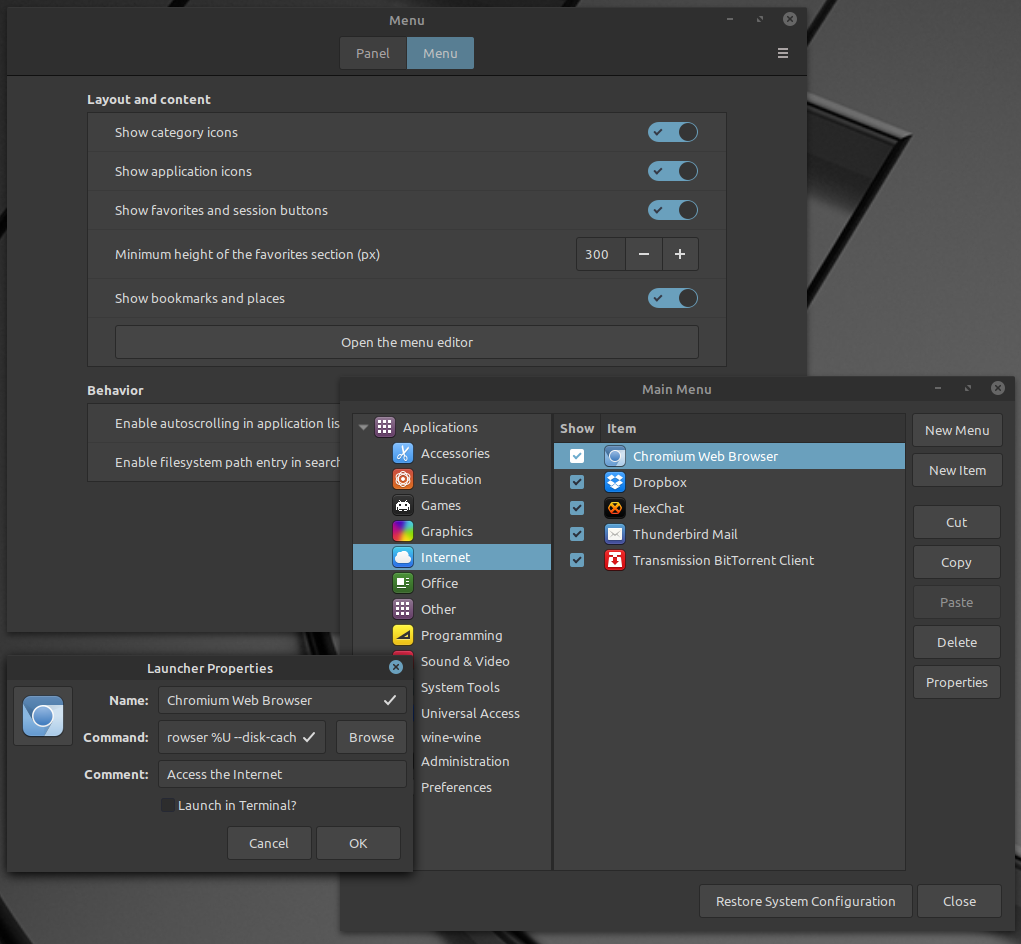
Modern Linux desktop distributions contain really powerful settings possibilities, but it is very often difficult to find out how to configure something. You may want, for example, to add –disk-cache-dir flag to Chromium start command in order to configure cache directory, so how to do it?
- right click on the menu start button and select “Configure”
- click on the “Menu” button at the top of the “Menu” window
- click on the “Open the menu editor” button
- browse the applications and find the requested one (Chromium in this case)
- select the application and click on “Properties” button on the right
- add requested command flag in the “Command” field